Type and Size of SIM Cards Used in Cradlepoint Modems
This article applies to all modems in Cradlepoint products using NCOS version 5.3.x and greater. See Identify Cradlepoint Products and NetCloud Service Plan Features for more information on your specific router and service plan.
Quick Links
Use the following links to quickly navigate this document.
Summary
SIM Card Descriptions and Supported Modems
Inserting the SIM Card
Inserting SIM cards in trays
Removing a SIM Card
Related Articles
This article describes the type/size of SIM cards compatible with Cradlepoint modems and how to correctly insert and remove SIM cards.
NOTE: Cradlepoint products support IPv4/IPv6 SIM cards but not IPv6-only SIM cards.
Please read carefully: Using an incorrect type of SIM will void the warranty.
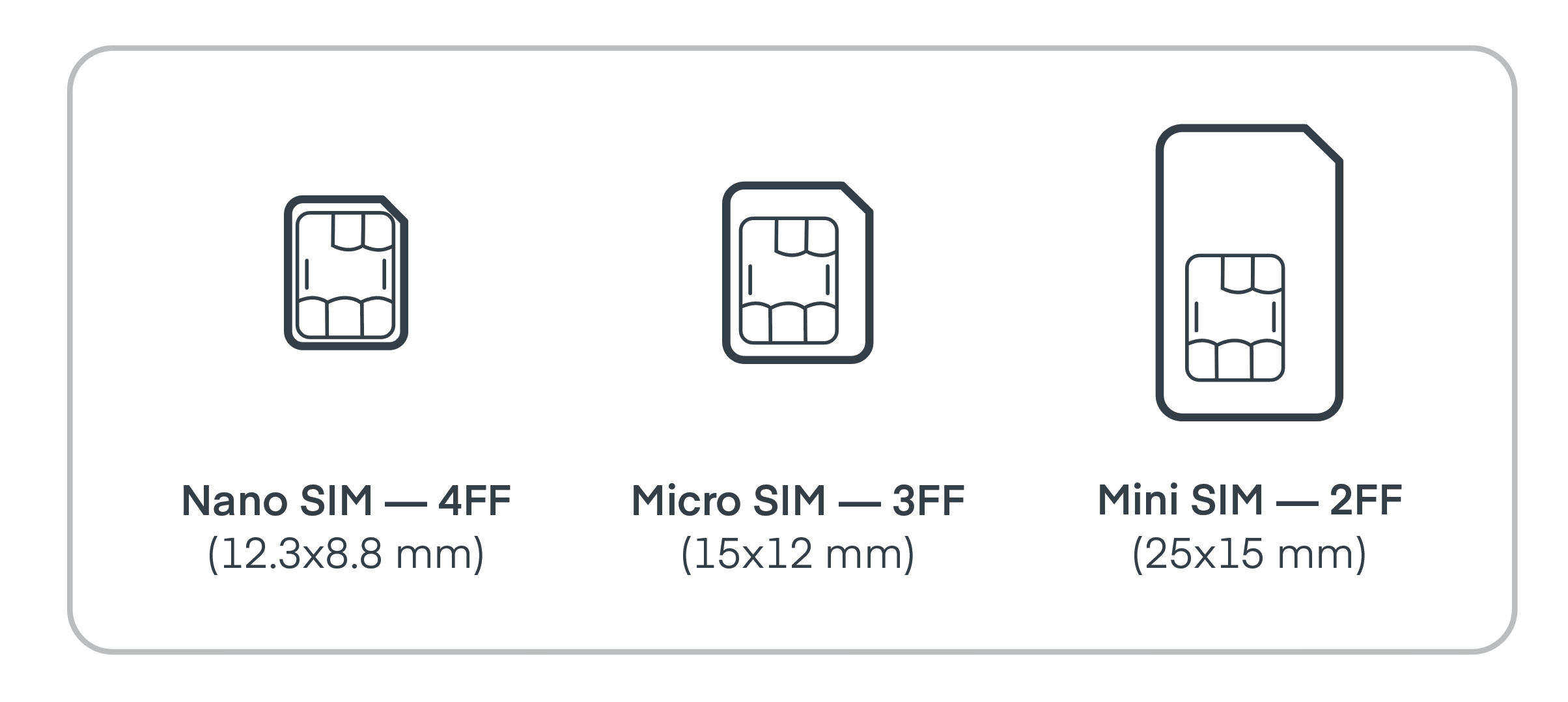
Cradlepoint modems are designed to accept 2FF and 4FF SIM cards, depending on the model. SIM cards other than the 2FF or 4FF types will not work correctly in Cradlepoint modems. If a SIM card other than the 2FF or 4FF types is inserted into a Cradlepoint modem, it may damage the modem or become stuck.
See the Quick Start Guide for your product to determine the type of SIM and specific instructions for installation.
Important: Activating a Cradlepoint XXXLP6-NA router on the Sprint LTE Plus network requires an ISIM type SIM. For more information on this use case, see this Stackoverflow thread titled What is the difference between ISIM and USIM? (Cradlepoint assume no responsibility for information in external links.)
The dimensions of 2FF SIM cards are 25.0mm x 15.0mm x 0.76mm. It is possible to resize Nano or Micro SIM cards to 2FF dimensions using a SIM adapter. However, Cradlepoint cannot guarantee correct modem operation if a Nano or Micro SIM is used with an adapter.
See your router's Quick Start Guide for specific instructions on your device's SIM card size, orientation and installation.
Use the following steps to insert a SIM card into your Cradlepoint modem.
Important: Locate the SIM-card slots on your modem or SIM card carrier before beginning this procedure. SIM-card slots are marked to indicate their purpose. For example "SIM 1" and "SIM 2." Only insert your SIM cards in the slots marked for SIM cards or your SIM cards will not function.
- Gently slide the SIM card into the modem's labelled SIM-card slot. The orientation of the SIM card's contacts and notched corner vary between modem models. See your router's Quick Start Guide for specific instructions on your device's SIM card orientation and installation.

- Carefully push the SIM card into the labelled SIM-card slot in the modem until you hear a click. The click indicates the SIM card is fully inserted. If you do not hear a click it means the card has not been completely inserted and will not function. There should be only a small portion of the SIM card visible from the modem's SIM slot when the SIM card is fully inserted.

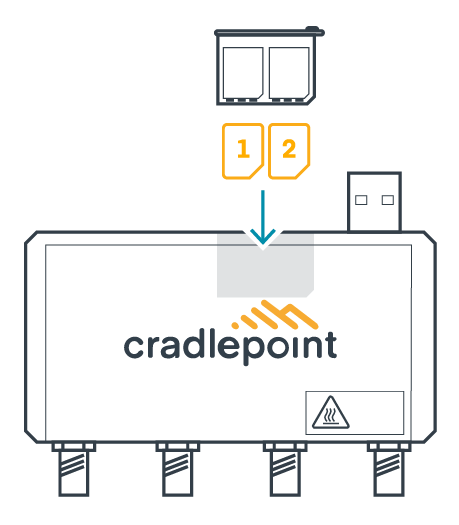
Certain Cradlepoint products, such the MC400-5GB modem, have a removable tray for the SIM cards.
-
Insert the SIM tray key into the small hole to remove the SIM tray from the modem.

-
Place at least one SIM into the tray - if only using one SIM card it must be in SIM 1 position. SIMs only fit into the tray one way.
-
Slide the SIM tray back into the modem until it clicks and is flush with the surface of the modem.
To remove a SIM card from a modem, gently press the installed SIM card into the modem until you hear a click. After you hear the click, the SIM card springs out far enough grip with your fingers and can be removed from the modem's SIM slot.
For SIM cards in trays, press the SIM tray key into the small hole next to the tray to remove the tray.